|
| Home Page > Topics > High performance 1/16 DIN size controller FB100 > Easy parameter setup via USB loader port |
 |
 |
 |
Compliance
 |
RoHS compliant |
|
 |
CE Marking |
|
 |
UL, cUL |
|
 |
C-Tick Mark |
|
 |
Reinforced insulation |
Specifications
| Input |
 |
|
| Control |
 |
|
| Position Proportional Control |
 |
|
| Performance |
 |
|
| Output |
 |
|
| Digital Output (DO) |
 |
|
| Multi-Memory Area (recipe) |
 |
|
| Event (Alarm) |
 |
|
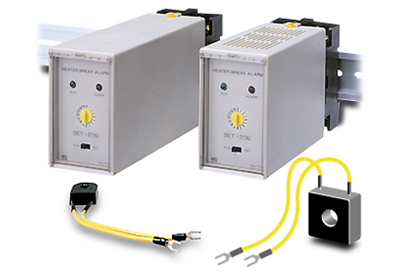
| Heater Break Alarm (HBA) : Optional |
 |
|
| Digital Input (DI) : Optional |
 |
|
| Remote Setpoint Input : Optional |
 |
|
| Analog Retransmission Output (AO) : Optional |
 |
|
| Feedback Resistance (FRB) Input : Optional |
 |
|
| Communicaitons : Optional |
 |
|
| Inter-controller Communication : Optional |
 |
|
| Loader Communication |
 |
|
| Waterproof/Dustproof |
 |
|
| General Specifications |
 |
Dimensions
| Unit : mm |
 |
 |
| Waterproof/dustproof is not available for close horizontal mounting. |
|
Model and Suffix Code
| · |
Digital output (DO1, DO2) : Standard function |
| *1: |
When Heat Control or Cool Control is selected, output 2 is available for
Event Output, HBA Output and FAIL Output.
See Output Allocation Table |
| *2: |
See Digital Input (DI) Allocation Table |
| *3: |
When HBA (heater break alarm) is used , select the "CT input"
from the model code. |
|
| Output Code Table |
 |
|
| Input Code Table |
 |
Quick Start Code
Quick start code tells the factory to ship with each parameter preset to
the values detailed as specified by the customer. Quick start code is not necessarily specified when ordering, unless the preset is requested.
These parameters are software selectable items and can be re-programmed in the field via the manual. |
 |
Default setting when no quick start code is specified. CT type : CTL-6-P-N
Communication 2 :ANSI/RKC standard protocol
Communication 2 is for inter-controller communication. |
| Output Allocation Table |
 |
- Energized/De-energized is configurable except for the FAIL output. (Factory
default setting: Energized)
<Caution>
- Invalid for a non-existing output/input function.
- When used as heating/cooling control/position proportioning control, select any code of 01 to 07.
- Remote/Local transfer can be done during cascade control and ratio control by inter-controller communication.
|
| Digital input (DI) Allocation Table |
 |
|
| Example of Model Code and Quick Start Code |
| Example Specifications |
Input : Thermocouple K 0.0 to 400.0°C
Control method : PID control for heating (Output : 4 to 20mA DC)
Digital Output (Alarm) : 2 points (Deviation High, Deviation Low)
Analog retransmission output : 0 to 10V DC
Digital input : 1 point (RUN/STOP) |
|
 |
|
 |
|
 |
| Easy parameter setup via USB loader port |
The FB series has a standard loader port to connect to a PC USB port via
COM-K: USB communication converter.
Using Win-UCI software on the PC, parameter settings can be easily saved
on the PC in CSV format, and the same parameter settings are easily copied
to other controllers. |
 |
- The loader port is only for parameter setup.
- The power to COM-K is supplied from the PC via the USB port so no power
supply is necessary.
|
|
 |
|
|
 |